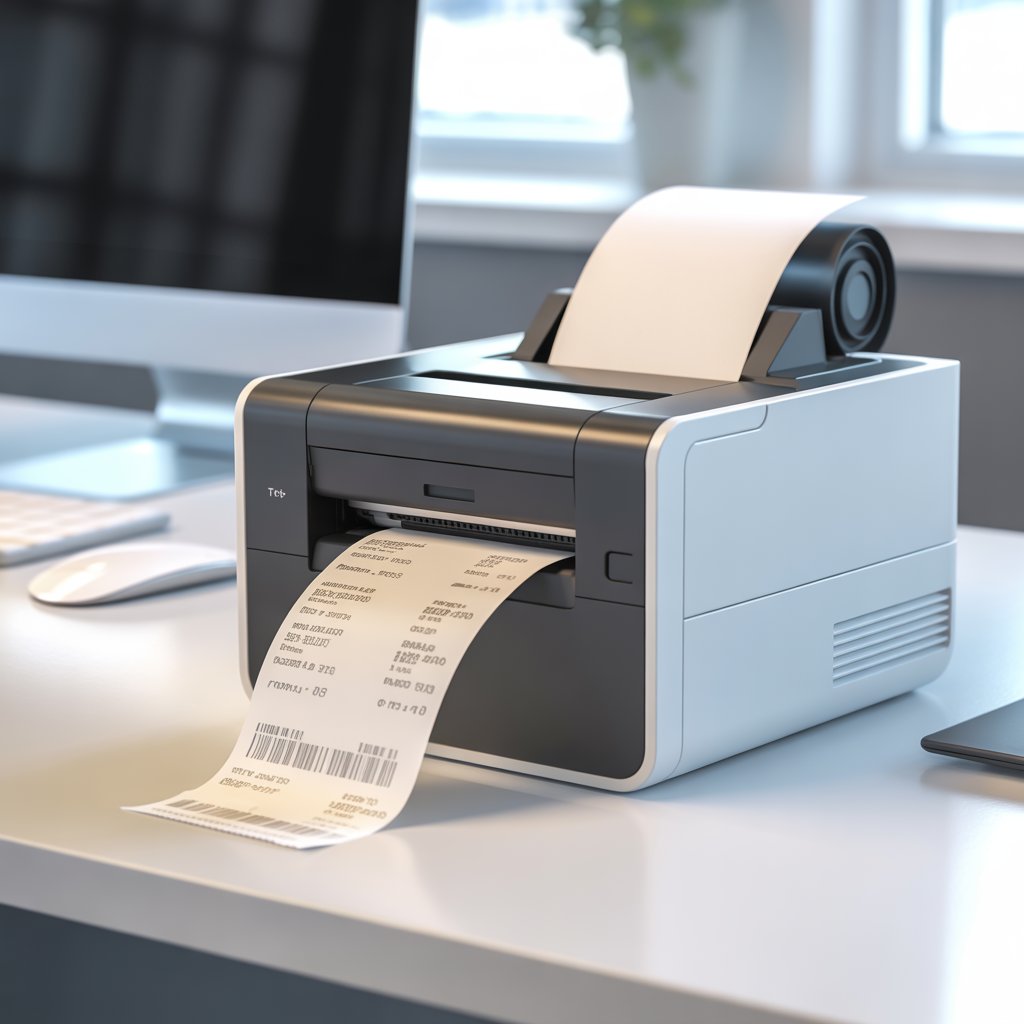
What Is a Thermal Printer?
A thermal printer is a compact printing device that uses heat instead of ink to produce text and images.
It’s fast, efficient, and reliable — which is why you’ll find it in every retail counter, warehouse, and courier service across Pakistan.
If you need a receipt or label printer that performs daily without refilling ink or toner, a thermal printer is the one to buy.
At Mega.pk, you can explore the latest thermal printers from trusted brands like Epson, Xprinter, and Bixolon — all backed by official warranties and nationwide delivery.
Understanding Thermal Printing Technology
A thermal printer works by applying controlled heat through its print head to heat-sensitive material.
Unlike inkjet or laser printers that rely on cartridges or toner, a thermal printer creates an image when heat contacts coated thermal paper or a ribbon film.
This heat-based method produces crisp text and barcodes instantly, without smudging or drying time.
This technology is the reason point-of-sale receipts, barcodes, and shipping labels look sharp and print in seconds.
How Does a Thermal Printer Work? Step-by-Step Process
- Data Input: The printer receives a digital command from your POS system or computer.
- Precision Heating: The print head heats specific dots in a controlled pattern.
- Image Creation:
- In Direct Thermal Printing, the heat reacts with the chemical coating on the paper to form dark marks.
- In Thermal Transfer Printing, heat melts wax or resin from a ribbon onto paper or plastic labels.
- In Direct Thermal Printing, the heat reacts with the chemical coating on the paper to form dark marks.
- Output: The roller feeds out the finished receipt or label, dry and ready to use.
Because it doesn’t rely on ink, a thermal printer delivers consistent results and minimal downtime — exactly what businesses want.
Key Components and Why They Matter
| Component | Description | Why It Matters |
| Thermal Print Head | Heats specific points on paper or ribbon | Determines sharpness and clarity |
| Platen Roller | Moves paper evenly under the print head | Ensures alignment and smooth output |
| Ribbon (Transfer Type) | Coated with wax or resin | Used for long-lasting label printing |
| Thermal Paper | Specially coated heat-reactive paper | Enables direct, ink-free printing |
| Main Control Board | Processes data and controls heating | Ensures accuracy and consistent speed |
A buyer should always check the print head quality and paper compatibility before purchase, as these directly affect performance and maintenance cost.
Types of Thermal Printers and Their Ideal Use
Direct Thermal Printers
Perfect for short-term printing such as POS receipts, tickets, or shipping labels.
They don’t require ribbons, which means lower running cost — but the prints may fade if exposed to heat or sunlight for too long.
Best for: Retail counters, small shops, billing systems
Thermal Transfer Printers
These use a wax or resin ribbon to transfer ink onto the surface, producing durable, smudge-proof results.
They work with paper, plastic, and synthetic labels, making them essential in logistics and industrial packaging.
Best for: Warehouses, courier companies, manufacturers
Quick Comparison
| Feature | Direct Thermal | Thermal Transfer |
| Consumables | Thermal paper | Ribbon + plain label |
| Durability | Temporary | Long-term |
| Running Cost | Very low | Moderate |
| Recommended For | Receipts | Barcodes, packaging labels |
Performance Features Buyers Should Evaluate
When choosing a thermal printer, look beyond brand names — focus on the specs that impact speed, clarity, and cost per print.
- Print Resolution (DPI): Determines sharpness. For barcodes or logos, go for 300 DPI or higher.
- Print Speed (mm/sec): Higher speed means faster billing or labeling. Entry-level models offer 90–150 mm/sec, while industrial printers exceed 300 mm/sec.
- Connectivity Options: Modern printers support USB, Bluetooth, or Wi-Fi for mobile billing setups.
- Paper Width: Common sizes include 58 mm and 80 mm; check your POS system compatibility.
- Power Efficiency: Many models use low-voltage adapters to save energy in long operational hours.
These are the real-world differences that influence your purchase — not just the brand label.
Advantages of Using a Thermal Printer
- No Ink or Toner: Lower maintenance and cleaner operation.
- Speed: Prints hundreds of receipts or labels in minutes.
- Low Cost per Page: Perfect for high-volume use.
- Compact Design: Fits neatly on desks or counters.
- Quiet Performance: Ideal for customer-facing environments.
Thermal printers are designed for efficiency and business continuity, not for decorative printing — that’s why professionals rely on them daily.
Potential Limitations to Consider
Even the best technology has trade-offs.
- Direct thermal prints can fade in sunlight or heat.
- Not suitable for color or image-heavy designs.
- Requires heat-sensitive media or ribbons.
If you need color or photo printing, choose an inkjet printer. For fast document printing, a laser printer remains a good option.
Read our comparisons:
- What Is an Inkjet Printer
- What Is a Laser Printer
Why Thermal Printers Outperform Inkjet and Laser for Business Use
| Feature | Thermal | Inkjet | Laser |
| Running Cost | Lowest | Medium | Low |
| Maintenance | Minimal | Moderate | Moderate |
| Print Speed | Fastest | Average | Fast |
| Durability | Excellent (Transfer) | Good | Excellent |
| Ideal For | POS, logistics | Photos, color docs | Offices |
For anyone managing transactions or shipping, thermal printers deliver the best balance of cost, reliability, and speed.
Thermal Printer Prices in Pakistan
Price depends on brand, print speed, and printing method.
| Category | Price Range (PKR) | Suitable For |
| Entry-Level POS Printers | 18,000 – 35,000 | Cash counters, small stores |
| Mid-Range Transfer Printers | 40,000 – 60,000 | Retail chains, pharmacies |
| Industrial Thermal Printers | 65,000 – 85,000+ | Warehouses, logistics hubs |
| Portable Bluetooth Models | 20,000 – 45,000 | On-the-go billing, delivery apps |
All these categories are available at Mega.pk, with updated 2025 pricing, authentic warranties, and expert support.
Best Brands of Thermal Printers in Pakistan
- Epson – Known for durable POS systems and energy-efficient designs.
- Xprinter – Popular for fast printing and affordable maintenance.
- Bixolon – Reliable choice for industrial use and barcode printing.
- Zebra – Industry leader in logistics and label printers.
When you buy from Mega.pk, you get brand authenticity, local support, and direct warranty claims.
Common Questions from Buyers
What is the lifespan of a thermal printer?
Typically 5–7 years with proper care and cleaning of the print head.
Can thermal printers print in color?
Only some transfer printers can print one or two colors using specialized ribbons.
Do thermal printers need special paper?
Yes, they require coated thermal paper or compatible labels for best results.
Are thermal printers suitable for small shops?
Absolutely — they’re affordable, compact, and easy to use.
Where to Buy Reliable Thermal Printers in Pakistan
Buying from an authorized store is crucial for warranty and after-sales support.
Mega.pk offers a wide range of thermal printers from the world’s best brands, ensuring:
- 100% genuine products
- Competitive prices
- Nationwide delivery
- Expert guidance for business use
Browse the complete collection at Mega.pk and choose the model that fits your budget and business needs.
Conclusion
A thermal printer is more than just a receipt machine — it’s a reliable business tool built for speed and precision.
Whether you manage a shop, warehouse, or delivery service, investing in a thermal printer saves time, reduces costs, and keeps operations smooth.
For the latest models and official brand warranties, trust Mega.pk — Pakistan’s leading tech retailer for printers, laptops, and business equipment.