
How To Use A Laptop?
To use a laptop, you turn it on, type with the keyboard, move things using the touchpad, and connect to the internet to get your work done.
If you are new to laptops, the first few days can feel awkward. That is completely normal. Most people today grow up using phones. A laptop feels bigger and slower at first. There are more buttons. The screen does not respond to touch like a phone. This is where most confusion starts.
Once you understand how the basic parts work together, the fear goes away. A laptop is not difficult. It just needs a little patience in the beginning.
What a laptop actually is
A laptop is simply a computer that you can carry around. Everything is built into one body. The screen shows your work. The keyboard is for typing. The touchpad replaces the mouse. The battery lets you use it without plugging in all the time.
Inside the laptop, there are parts that handle speed, memory, and storage. You do not need to understand all of this on day one. What matters is knowing that when you press the power button, the system starts and shows you the desktop where all work begins.
Most laptops used in Pakistan run on Windows. The layout may change slightly from one version to another, but the basics stay the same.
Turning on a laptop for the first time
Look for the power button. It is usually near the keyboard or on the side. Press it once and leave it. Do not press again. Give the laptop a few seconds.
If nothing happens, the battery is likely empty. Plug in the charger and try again. Many new users think the laptop is faulty when it is only out of power.
Once the screen lights up, the system loads on its own. You do not need to do anything during this time.
Getting comfortable with the keyboard
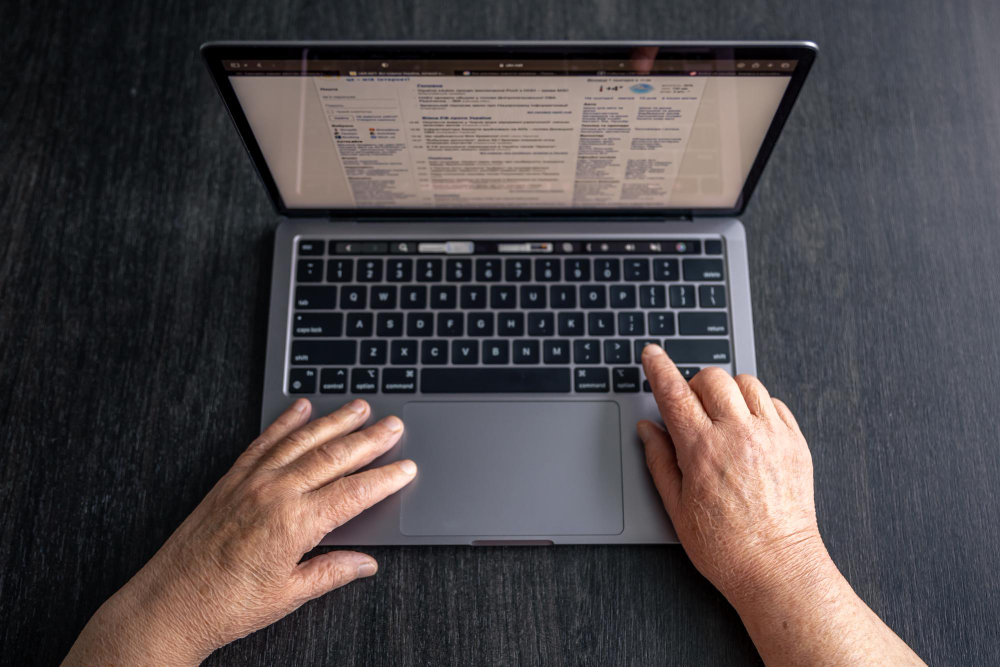
The keyboard is where most new users struggle. There are many keys, and it feels overwhelming. In reality, you only use a few keys most of the time.
Letters are used for typing words. The spacebar creates space. Enter moves text to the next line. Backspace removes mistakes. That is enough to start.
Typing feels slow at first. Fingers do not know where to go. This improves naturally. No special trick is needed. Just regular use.
Writing and typing on a laptop
Whenever you want to type, click inside a box or document. A small blinking line appears. This shows where your text will come from. Start typing softly. There is no need to press hard.
With time, your hands adjust. Typing becomes smooth without you even noticing.
Why Typing Feels Slow on a Laptop at the Start
Typing feels slow because fingers are not trained yet. Eyes move between the screen and keyboard often. This is normal. Speed does not come instantly. With daily use, hands learn the positions naturally. After some time, typing becomes faster without conscious effort.
How to Use Spacebar and Backspace Correctly
The Spacebar adds space between words. It should be pressed once between words. Backspace removes letters one by one. It helps fix small mistakes quickly. Many beginners panic when typing errors appear. Backspace solves most of them easily.
Learning how the touchpad works
The touchpad is the flat area below the keyboard. It controls the arrow on the screen. Move your finger, and the arrow moves. Tap once to click. Tap twice to open something.
Scrolling is done with two fingers. This feels strange in the beginning. Many people get frustrated here. After a few days, it becomes automatic.
If the touchpad feels uncomfortable, you can always use a mouse. Many people prefer that.
Using the screen properly
Everything you do appears on the screen. Reading, writing, watching videos, and browsing all happen here. Brightness affects comfort more than people realize.
If the screen is too bright, eyes get tired. If it is too dim, the text feels dull. Adjusting brightness makes long usage easier. Lower brightness also saves battery, which helps during load shedding.
Connecting to the internet
The Internet is one of the main reasons people buy laptops. To connect to WiFi, click the network icon near the time. Choose your WiFi name and enter the password.
Sometimes WiFi does not show up. This happens often. Restarting the laptop fixes it in most cases. Make sure airplane mode is turned off.
Once connected, you can open websites, watch videos, attend classes, or work online.
Opening programs and doing basic work
All programs live inside the Start menu. Click it and you will see installed apps. A browser is used to open websites. File Explorer is where documents and files are saved.
Do not install everything you see online. Too many programs slow the laptop and create problems later. Keep only what you actually use.
Shutting down the laptop the right way
Many people make mistakes here. Always shut down using the Start menu. This allows the system to close things properly.
Pressing the power button again and again can damage the system over time. Restarting once in a while helps keep things running smoothly.
Taking care of a laptop in Pakistan
Always use the original charger. Cheap chargers damage batteries. Keep the laptop on a hard surface so heat can escape. Beds and cushions block airflow.
Electricity problems are common. A surge protector adds safety. Keep liquids away from the keyboard. One spill can end the laptop.
Problems beginners usually face
Beginners often feel the laptop is slow. Most of the time it is because too many apps are installed. Some forget passwords. Some ignore updates.
These problems are not serious. They come from lack of familiarity. Learning small habits early saves a lot of trouble later.
Using a laptop feels strange only at the beginning. After some time, it feels normal. Typing becomes faster. Clicking feels easier. Work becomes quicker.
A laptop is just a tool. Once you get used to it, it opens many doors. Learning it is worth the effort.
How to use a laptop for beginners?
Start by turning the laptop on and reaching the desktop. Learn how the keyboard and touchpad work. Practice simple things like typing and clicking daily. Comfort builds naturally over time.
How to type on a laptop?
Click inside any text area and start pressing the keys. Use the spacebar to separate words and backspace to remove errors. Typing speed improves with daily use.
How to connect to WiFi on a laptop?
Click the WiFi icon and select your network. Enter the password carefully. Restart the laptop if networks do not appear.
How to shut down a laptop properly?
Use the Start menu and choose Shut down. This protects the system. Avoid using the power button unless the laptop freezes.
What will you use your laptop to do?
People use laptops for study, work, browsing, freelancing, and entertainment. It depends on personal needs. Proper usage keeps the laptop smooth.