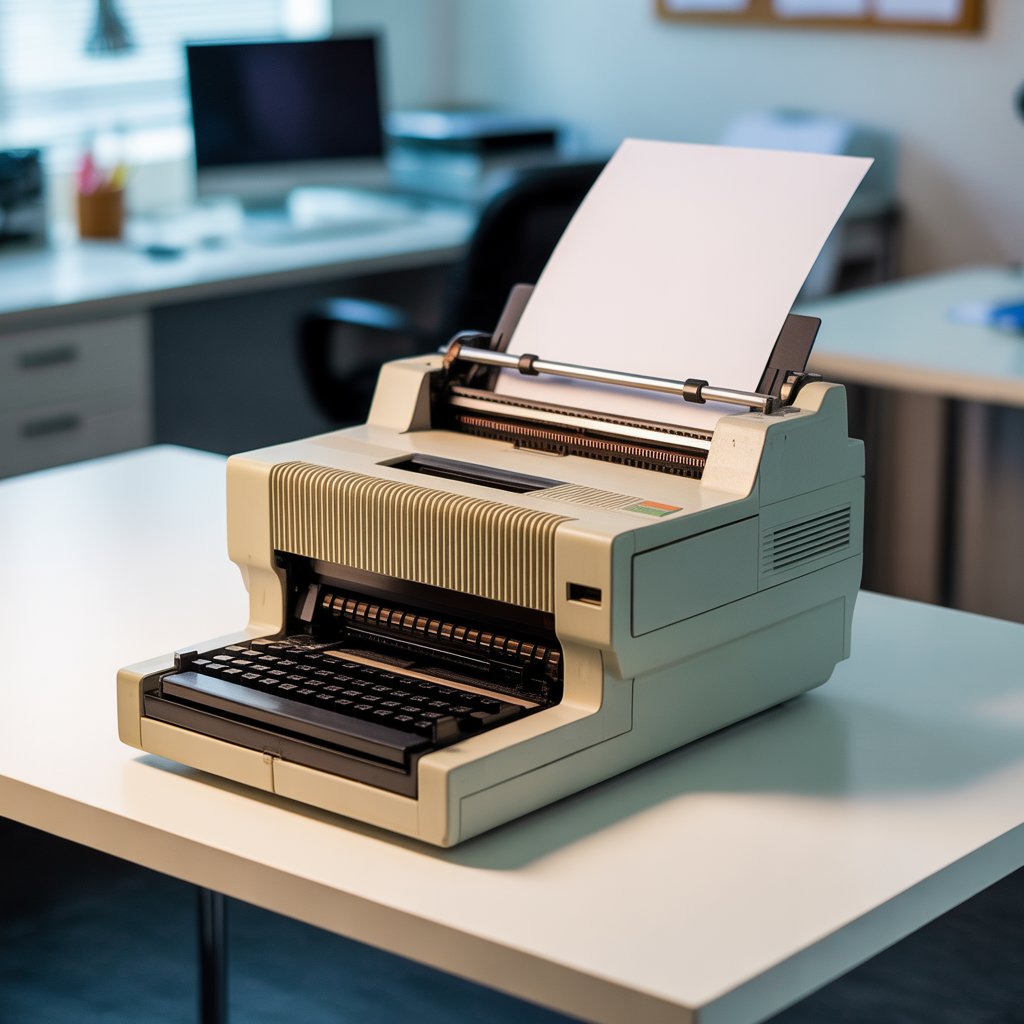
What Is an Impact Printer? Meaning, Working, Types, and Comparison with Non-Impact Printers
A printer is an output device that converts digital information into a physical document. Among the earliest and most reliable printing technologies are impact printers — machines that form characters on paper by physically striking an inked ribbon.
This guide explains what an impact printer is, how it works, its main types, and how it differs from modern non-impact printers such as laser or inkjet models. It’s part of Mega.pk’s educational printer series.
If you’re new to the topic, first read what is a printer to understand the basics before exploring this technology.
Definition – What Exactly Is an Impact Printer?
An impact printer produces text or images by pressing a print head against an inked ribbon so the ink transfers to paper. The process is similar to a typewriter, where each character or dot is formed by mechanical force.
Because printing occurs through direct physical contact, these devices are called impact printers. They belong to the earliest generation of computer printers and are still valued where multi-part forms or carbon copies are required.
How Does an Impact Printer Work?
Impact printing combines simple mechanics with precise timing. The typical process is:
- Data Reception: The computer sends text or images to the printer’s buffer.
- Positioning: Paper advances line by line through feed rollers.
- Ribbon Strike: Tiny hammers or pins in the print head strike the ink ribbon.
- Image Formation: Each strike leaves a dot or character impression on paper.
- Line Feed: The print head or carriage moves horizontally to begin the next line.
This sequence repeats until the document is complete. Printing speed is measured in characters per second (CPS) or lines per minute (LPM).
Main Components of an Impact Printer
- Print Head: Contains pins or characters that strike the ribbon.
- Ink Ribbon: A fabric strip coated with ink.
- Hammer Bank / Pins: Deliver the mechanical impact to form characters.
- Carriage Motor: Moves the print head across the page.
- Paper Feed Mechanism: Rollers or tractors that advance the paper.
- Controller Board: Processes incoming data and synchronizes all movements.
Types of Impact Printers
Impact printers fall into two main categories: character printers and line printers.
1. Character Printers
These print one character at a time.
- Dot Matrix Printer: Uses a matrix of small pins (typically 9 or 24) to form characters with dots. It’s durable, affordable, and supports multi-part carbon printing.
- Daisy Wheel Printer: Features a circular wheel with embossed characters on each petal. When a letter aligns, a hammer strikes it through the ribbon, producing crisp, typewriter-quality text.
2. Line Printers
These print an entire line at once, offering much higher speed.
- Drum Printer: Contains a rotating drum embossed with characters. As the drum spins, hammers hit the right symbols through the ribbon.
- Chain Printer: Uses a moving chain of characters that passes each print position while hammers strike to form a full line.
Line printers can reach speeds above 1,000 lines per minute and are common in data centers and industrial setups.
What Is a Non-Impact Printer?
A non-impact printer produces text and images without physical contact between the print head and paper. It relies on light, heat, or ink droplets instead of mechanical striking.
Common examples include:
- Laser Printer: Uses a laser beam and toner powder. Learn more in our detailed guide on what is a laser printer.
- Inkjet Printer: Sprays microscopic ink droplets through nozzles to create images.
- Thermal Printer: Applies heat to specially coated paper to form text or graphics.
Non-impact printers are quieter, faster, and capable of high-resolution color output, making them the preferred choice for most modern users.
Impact vs Non-Impact Printers – Key Differences
| Feature | Impact Printer | Non-Impact Printer |
| Printing Method | Physical strike on inked ribbon | No physical contact |
| Noise Level | Loud | Quiet |
| Speed | Slower | Faster |
| Print Quality | Moderate | High |
| Paper Type | Continuous / multipart | Plain sheets |
| Maintenance Cost | Low (ribbons) | Higher (ink or toner) |
| Examples | Dot Matrix, Daisy Wheel | Laser, Inkjet, Thermal |
Advantages of Impact Printers
- Can print duplicate or triplicate carbon copies.
- Rugged and reliable for industrial environments.
- Low operating cost due to inexpensive ribbons.
- Ideal for continuous forms and data logs.
Disadvantages of Impact Printers
- Noisy during operation.
- Limited font styles and graphics capability.
- Slower than modern non-impact printers.
- Requires periodic servicing of mechanical parts.
Applications of Impact Printers
Impact printers remain valuable where durability and multi-copy printing matter more than appearance:
- Banking and accounting records.
- Billing systems and receipts.
- Industrial inventory and production logs.
- Government or transport ticketing offices.
Future and Relevance
Although non-impact printers dominate today, impact printers continue to serve specialized sectors that need carbon copies or rugged reliability. Manufacturers still produce ribbons and spare parts because the technology remains cost-efficient for certain tasks.
Frequently Asked Questions
Q1. What is the main function of an impact printer?
It creates text or images by striking an ink ribbon and transferring ink mechanically onto paper.
Q2. What are the two main types of impact printers?
Character printers (Dot Matrix, Daisy Wheel) and line printers (Drum, Chain).
Q3. What is a non-impact printer?
A printer that forms images without physical contact, such as laser, inkjet, or thermal models.
Q4. What are examples of impact printers?
Dot Matrix, Daisy Wheel, Drum, and Chain printers.
Q5. Why are impact printers still used today?
They are durable, inexpensive, and ideal for carbon-copy or continuous form printing in industrial environments.
Conclusion
Impact printers mark the beginning of computer-based printing. Though slower and noisier than modern devices, they remain essential wherever reliability and multi-copy printing are required.
Understanding impact printers also helps explain the transition to advanced non-impact technologies like the laser printer, which offer speed, silence, and superior output quality.