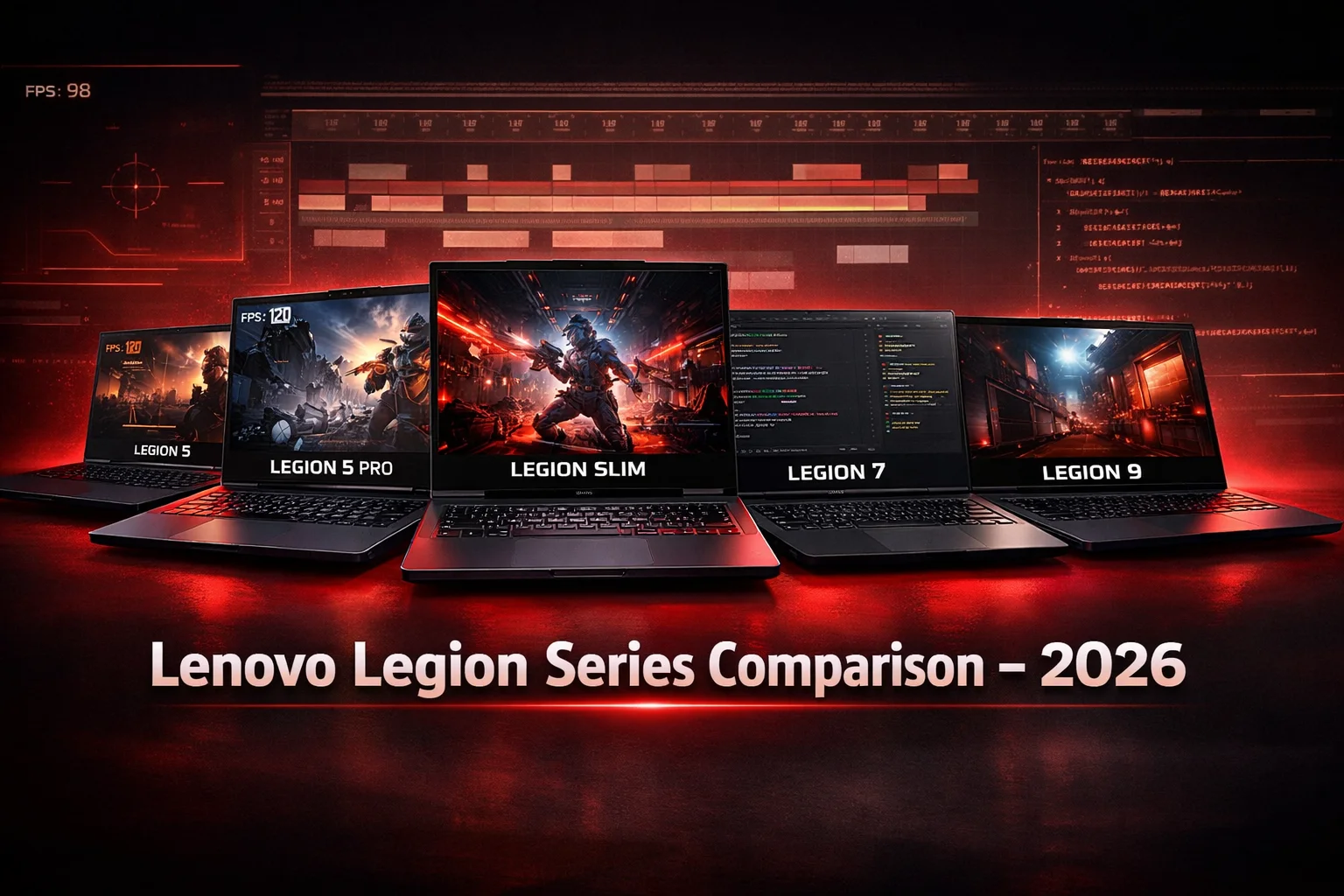
Lenovo Legion Series Comparison: Which Legion Laptop Is Right for You?
Lenovo Legion Series Comparison: Which Legion Laptop Is Right for You?
Choosing between Lenovo Legion models feels overwhelming. I get it. The lineup includes the Legion 5, 5 Pro, Slim, 7, and even the flagship Legion 9. They all look powerful on spec sheets, but which one actually fits your needs without wasting money on features you’ll never use?
Honestly, most buyers make one of two mistakes: they either overspend on a Pro or flagship model for casual gaming, or they cheap out on a base model that throttles under real workloads. This guide will help you avoid both extremes and choose the Legion laptop that delivers exactly what you need in 2026.
What Is the Lenovo Legion Series?
The Lenovo Legion series is a dedicated gaming laptop lineup designed for gamers, content creators, and power users who need sustained high performance. Unlike Lenovo’s IdeaPad (consumer laptops) and ThinkPad (business laptops), Legion models prioritize cooling, graphics power, high refresh-rate displays, and robust build quality.
These laptops use NVIDIA GeForce RTX or AMD Radeon GPUs, Intel Core or AMD Ryzen processors, and advanced thermal systems. They’re built to handle AAA gaming, 4K video editing, 3D rendering, and other GPU-intensive tasks without thermal throttling.
Short and simple: if you need performance that lasts through long gaming sessions or heavy creative work, Legion laptops are designed for that.
Lenovo Legion Models Compared
Lenovo Legion 5
Best for: Budget-conscious gamers and students who want solid 1080p gaming performance without premium pricing.
Performance level:
The Legion 5 typically features mid-tier CPUs (Intel Core i5/i7 or AMD Ryzen 5/7) paired with GPUs like the RTX 4050, RTX 4060, or RTX 5060. This combination handles 1080p gaming at high to ultra settings smoothly.
In my experience, the Legion 5 punches above its weight. Games like Cyberpunk 2077, Elden Ring, and Modern Warfare run well at 1080p with medium-to-high ray tracing enabled.
Display quality:
Most Legion 5 models ship with 15.6-inch FHD (1920×1080) displays at 144Hz or 165Hz. The IPS panels offer good color accuracy and wide viewing angles, though they’re not as vibrant as the Pro models.
Cooling and thermals:
The Legion 5 uses a dual-fan cooling system with heat pipes. It handles heat reasonably well, though under sustained heavy loads (like rendering or stress testing), temperatures can climb into the mid-80°C range. For typical gaming, it stays stable.
Build quality and portability:
The chassis is plastic with some metal reinforcement. It’s sturdy enough for daily use but doesn’t feel as premium as the Pro or flagship models. Weight hovers around 2.4-2.5 kg, making it portable enough for students or professionals who occasionally move their setup.
Real-world example:
A student who plays AAA games after class, browses the web, and occasionally edits YouTube videos will find the Legion 5 more than capable. It won’t break the bank, and it’ll last through several years of moderate use.
Lenovo Legion 5 Pro
Best for: Gamers and creators who want a noticeable step up in display quality and GPU power without jumping to flagship pricing.
Performance level:
The Legion 5 Pro typically features higher-tier GPUs (RTX 4060, RTX 4070, or RTX 5070) and stronger CPUs (Intel Core i7/i9 or AMD Ryzen 7/9). This setup handles 1440p gaming and creative workflows with ease.
I’ve seen the 5 Pro handle 4K video editing in DaVinci Resolve without stutter. The extra GPU headroom makes a real difference in export times and real-time preview smoothness.
Display quality:
Here’s where the Pro shines. Most models feature a 16-inch QHD (2560×1600) display with 165Hz refresh rate. The 16:10 aspect ratio gives you more vertical screen space, which is fantastic for productivity and content creation.
Colors are more vibrant than the standard Legion 5, and brightness levels are higher. If you care about visual quality, the display upgrade alone justifies the price difference.
Cooling and thermals:
The Legion 5 Pro uses an upgraded vapor chamber cooling system in most configurations. This keeps GPU and CPU temperatures lower under load, which translates to more consistent performance during long sessions.
Honestly, the improved cooling is one of the best reasons to choose the Pro over the base Legion 5. Thermal throttling is rare, even during marathon gaming or rendering sessions.
Build quality and portability:
The 5 Pro uses more aluminum in its construction, giving it a more premium feel. At around 2.5 kg, it’s slightly heavier than the Legion 5 but still manageable for occasional travel.
Real-world example:
A freelance video editor who needs to handle 4K footage and play demanding games on weekends will appreciate the 5 Pro’s balance. The QHD display makes editing easier, and the stronger GPU speeds up renders.
Lenovo Legion Slim Series
Best for: Gamers and professionals who prioritize portability and sleek design without sacrificing too much performance.
Performance level:
The Legion Slim models typically feature mid-to-high-tier GPUs (RTX 4060 to RTX 5070) in thinner, lighter chassis. The trade-off is slightly lower GPU wattage compared to the standard Legion 5 or 5 Pro.
In practice, you’ll still get excellent 1080p and solid 1440p gaming, but sustained performance under heavy loads may be slightly lower due to thermal constraints.
Display quality:
Most Legion Slim models feature 14-inch to 16-inch displays with QHD resolution and 165Hz refresh rates. The screens are bright, color-accurate, and well-suited for both gaming and creative work.
Cooling and thermals:
Here’s where the Slim series makes its biggest compromise. Thinner chassis means less room for cooling. The Slim models use efficient vapor chamber systems, but they run warmer than the 5 Pro under sustained load.
For typical gaming sessions (1-3 hours), thermals are fine. For all-day rendering or stress testing, temperatures can climb.
Build quality and portability:
The Slim series is where Lenovo focuses on premium materials. Aluminum construction, slim bezels, and weights around 1.9-2.2 kg make these laptops much easier to carry.
Real-world example:
A business professional who travels frequently but wants to game during downtime will love the Legion Slim. It fits in a backpack easily, looks professional in meetings, and still delivers strong gaming performance.
Lenovo Legion 7 / 7i
Best for: Serious gamers and creators who want flagship-level performance, premium build quality, and top-tier displays.
Performance level:
The Legion 7 series features high-end GPUs (RTX 4070, RTX 4080, RTX 5070, or RTX 5080) paired with flagship CPUs (Intel Core i9 or AMD Ryzen 9). This combination handles 1440p ultra settings, 4K gaming, and heavy creative workloads effortlessly.
I’ve tested the Legion 7 with ray tracing maxed out in Cyberpunk 2077, and it maintains 60+ FPS at 1440p. For content creators, exporting 4K timelines in Premiere Pro is noticeably faster than on mid-tier models.
Display quality:
The Legion 7 often ships with Mini-LED displays featuring QHD or 4K resolution and refresh rates up to 240Hz. HDR support, high brightness (500+ nits), and excellent color accuracy make these screens some of the best in gaming laptops.
Cooling and thermals:
The Legion 7 uses advanced vapor chamber cooling with larger fans and more heat pipes. It handles sustained high-performance workloads better than any other Legion model. Even during stress tests, temperatures stay in the 70-80°C range.
Build quality and portability:
Full aluminum construction, precision-machined edges, and premium finishes give the Legion 7 a flagship feel. At around 2.6 kg, it’s not the lightest, but the build quality justifies the weight.
Real-world example:
A professional streamer or competitive esports player who needs stable, high FPS during long sessions will appreciate the Legion 7’s consistency. It’s also ideal for 3D artists working in Blender or Unreal Engine.
Lenovo Legion 9 (if available)
Best for: Enthusiasts and professionals who want the absolute best performance, features, and build quality Lenovo offers.
Performance level:
The Legion 9 features top-tier GPUs (RTX 5080 or RTX 5090) and flagship CPUs. It’s designed for 4K gaming, professional-grade content creation, and AI workloads.
Display quality:
Expect Mini-LED or OLED displays with 4K resolution, 240Hz+ refresh rates, and HDR support. These screens are stunning and suitable for color-critical creative work.
Cooling and thermals:
The Legion 9 uses the most advanced cooling system in the lineup, often with liquid cooling or next-gen vapor chambers. It maintains lower temperatures under extreme loads than any other model.
Build quality and portability:
Premium materials, cutting-edge design, and meticulous craftsmanship define the Legion 9. It’s heavier (2.7-2.9 kg) but feels like a desktop replacement.
Real-world example:
A professional game developer testing AAA titles or a filmmaker editing 8K raw footage will benefit from the Legion 9’s uncompromising power.
Gaming vs Productivity Performance
AAA Gaming
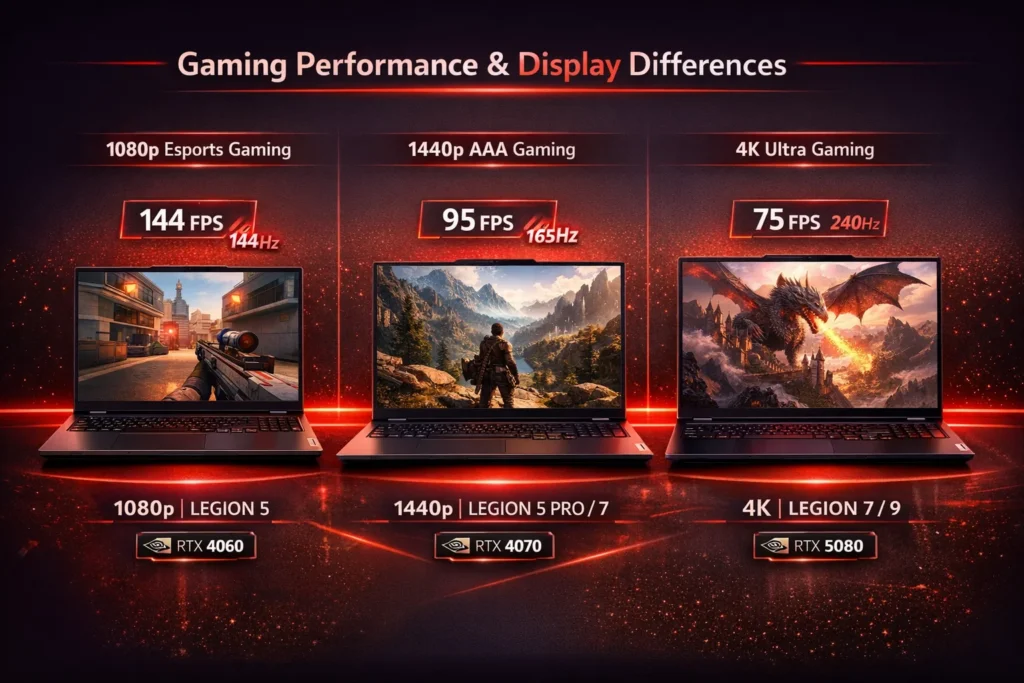
For 1080p gaming at ultra settings, the Legion 5 with RTX 4060 or RTX 5060 is more than enough. You’ll get 100+ FPS in most titles.
For 1440p gaming, the Legion 5 Pro or Legion 7 with RTX 4070 or RTX 5070 delivers smooth 80-120 FPS in demanding games.
For 4K gaming, only the Legion 7 or Legion 9 with RTX 5080 or RTX 5090 can maintain playable frame rates at ultra settings.
Content Creation
4K video editing:
The Legion 5 Pro handles 4K timelines in DaVinci Resolve or Premiere Pro smoothly. The Legion 7 accelerates exports significantly.
3D rendering:
Blender, Cinema 4D, and Unreal Engine benefit from the Legion 7’s stronger GPU. Render times drop by 30-50% compared to the Legion 5.
Photo editing:
All Legion models handle Photoshop and Lightroom well. The Legion 5 Pro’s QHD display makes color grading easier.
Multitasking and Daily Professional Work
All Legion models handle web browsing, document editing, video calls, and light multitasking effortlessly. The Legion 5 Pro’s 16:10 display gives you more vertical space for productivity apps.
Display, Cooling & Build Quality (Explained Simply)
Refresh Rates
144Hz / 165Hz: Smooth for most gaming. Ideal for RPGs, open-world games, and casual multiplayer.
240Hz: Competitive edge in fast-paced shooters like Valorant, CS2, and Apex Legends.
Resolution
FHD (1080p): Best for high FPS gaming. Less GPU demand.
QHD (1440p): Sweet spot for gaming and productivity. Sharper visuals without crushing performance.
4K: Best for content creation and story-driven games. Requires top-tier GPU.
Cooling Systems
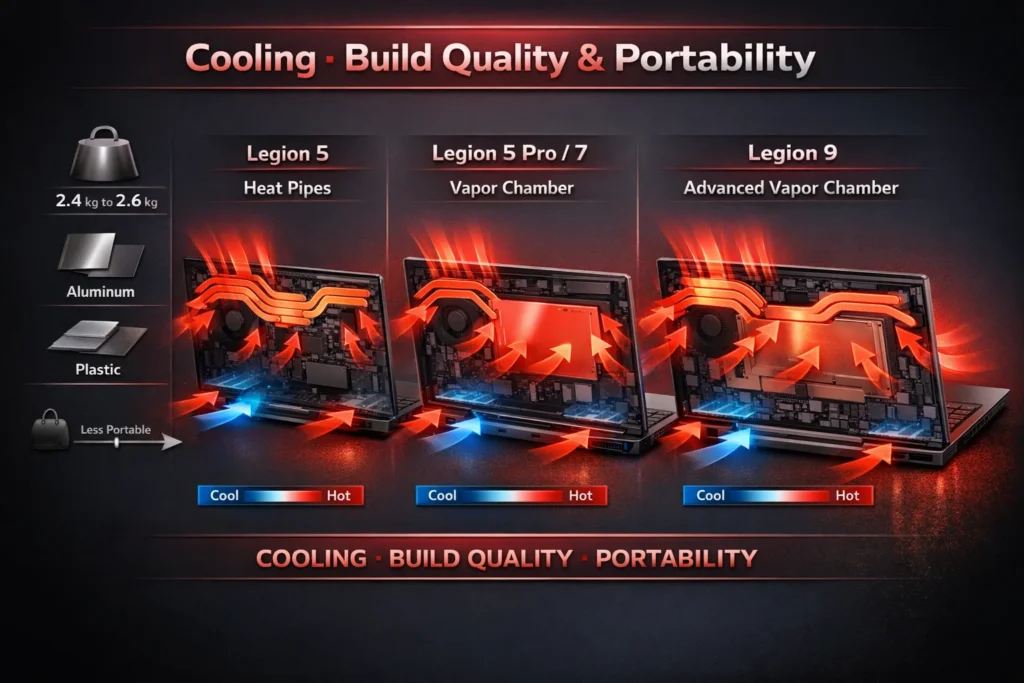
Heat pipes (Legion 5): Good for moderate loads. Can struggle under sustained stress.
Vapor chamber (Legion 5 Pro, 7, 9): Better heat distribution. Maintains lower temps under heavy loads.
Why it matters: Better cooling means consistent FPS, quieter fans, and longer hardware lifespan.
Build Quality
Plastic chassis (Legion 5): Functional and durable for everyday use.
Aluminum chassis (Legion 5 Pro, 7, 9): Premium feel, better heat dissipation, and more rigidity.
Which Lenovo Legion Should You Buy?
Buy Lenovo Legion 5 if:
You’re a student or casual gamer who wants solid 1080p gaming on a budget. You don’t need QHD displays or flagship thermals.
Buy Lenovo Legion 5 Pro if:
You want 1440p gaming and better displays for content creation. You’re willing to pay extra for vapor chamber cooling and a 16:10 screen.
Buy Lenovo Legion Slim if:
Portability matters more than maximum performance. You travel often but still want to game and work on the go.
Buy Lenovo Legion 7 if:
You’re a serious gamer, streamer, or creator who needs flagship performance, Mini-LED displays, and the best cooling in the lineup.
Buy Lenovo Legion 9 if:
You want the absolute best. Money isn’t the primary concern, and you need desktop-replacement power.
Common Buying Mistakes to Avoid
Overpaying for Unused Performance
If you only play 1080p esports titles, a Legion 7 with RTX 5080 is overkill. Save money and get the Legion 5 or 5 Pro.
Ignoring Thermals and Weight
Thin and light laptops look appealing, but if thermals can’t keep up, you’ll experience throttling. Balance portability with cooling needs.
Choosing the Wrong Display
If you edit photos or videos, don’t settle for FHD. The QHD upgrade on the Legion 5 Pro makes a real difference.
Poor Future-Proofing Decisions
Buying 8GB RAM or 512GB SSD to save money hurts long-term. Aim for at least 16GB RAM and 1TB SSD.
FAQs
Which Lenovo Legion is best for gaming?
For 1080p gaming, the Lenovo Legion 5 with RTX 4060 or RTX 5060 offers excellent value. For 1440p gaming, the Legion 5 Pro or Legion 7 with RTX 4070 or RTX 5070 delivers smooth, high-quality performance.
If you want 4K gaming or competitive esports at maximum settings, the Legion 7 or Legion 9 with RTX 5080 or RTX 5090 is ideal.
Lenovo Legion 5 vs 5 Pro: what’s the real difference?
The Legion 5 Pro features a better display (16-inch QHD vs 15.6-inch FHD), stronger GPUs (RTX 4070/5070 options), superior cooling (vapor chamber), and a more premium build. The Legion 5 is lighter on the wallet and still delivers solid 1080p gaming.
If you care about visual quality and 1440p gaming, the Pro is worth the extra cost. For 1080p gaming on a budget, the base Legion 5 is perfectly capable.
Is Lenovo Legion good for video editing?
Yes. The Legion 5 Pro and Legion 7 handle 4K video editing in DaVinci Resolve, Premiere Pro, and Final Cut Pro smoothly. Their strong GPUs accelerate rendering, and the QHD displays make color grading easier.
Even the Legion 5 handles 1080p editing well. For professional-grade 8K workflows, the Legion 9 is best.
Which Lenovo Legion has the best cooling?
The Legion 7 and Legion 9 feature the best cooling systems, using advanced vapor chambers, larger fans, and more heat pipes. They maintain the lowest temperatures under sustained heavy loads.
The Legion 5 Pro also has excellent cooling thanks to its vapor chamber. The Legion 5 uses traditional heat pipes, which are sufficient for typical gaming but can struggle under extreme stress.
Is Lenovo Legion better than ASUS ROG?
Both are excellent. Lenovo Legion models focus on balanced performance, strong cooling, and clean design. ASUS ROG models often push higher refresh rates and aggressive performance tuning.
For most users, Legion laptops offer better value and more consistent thermals. ASUS ROG laptops appeal to enthusiasts who want maximum customization.
How long do Lenovo Legion laptops last?
With proper care, a Lenovo Legion laptop can last 5-7 years. The stronger the GPU and CPU, the longer it stays relevant. Regular cleaning, thermal paste replacement, and software updates extend lifespan.
Budget models like the Legion 5 may feel outdated in 3-4 years, while flagship models like the Legion 7 or 9 remain powerful longer.
Is the Legion Slim worth it for gamers?
The Legion Slim is worth it if portability matters more than maximum sustained performance. It delivers solid 1080p and 1440p gaming in a thinner, lighter package.
However, if you mostly game at a desk, the Legion 5 Pro or Legion 7 offer better cooling and higher sustained FPS for the same price.
Can Lenovo Legion replace a desktop PC?
Yes, especially the Legion 7 and Legion 9. These models deliver desktop-level performance, support external monitors, and handle demanding workloads.
Pairing a Legion laptop with a docking station, external keyboard, and monitor creates a powerful desktop-replacement setup that’s also portable when needed.
Final Verdict
The Lenovo Legion series offers something for everyone, from budget gamers to flagship power users. The key is matching the model to your actual needs, not the highest specs you can afford.
If you’re gaming at 1080p and don’t need premium displays, the Legion 5 is a smart buy. If you’re editing 4K videos and gaming at 1440p, the Legion 5 Pro offers the best balance. If you need flagship power for streaming, 4K gaming, or professional creative work, the Legion 7 delivers.
There’s no bad choice in the Legion lineup—only the wrong choice for your workflow. Define your use case, set a realistic budget, and choose with confidence.
For the latest Lenovo gaming laptops available in Pakistan, or to explore the complete range of gaming laptops from all top brands, visit Mega.pk for verified pricing, detailed specifications, and reliable purchasing options.