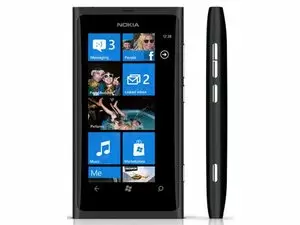
Want more amazing?

Start
Pin any group or person to your Start screen and keep them even closer at hand.
You can pin pretty much everything to the Start screen. Just hold your finger on
an app or tool until a menu with Pin to start appears.
Groups
The group Family is predefined in the People Hub to get you going.Based on the names of those contacts you add, it will offer suggestions for
people with matching or similar names.But with any group, you can pin it to the start screen. It will become a live
tile where you can see profile photos, missed calls and status updates from
anyone in that group.And if you want to keep people separate, you can also add a specific ringtone to
a person or a group. Just tap their profile, hit the Pencil icon to edit and add
a ringtone.Simple.
People Hub
Choose the contact you want to see in the Whats New section. Whether its the
latest Tweets or whats happening on Facebook, its up to you.You can filter your People by accounts too. Just tap the bottom of the screen,
open Settings and filter your contact list by the email or social media
account you want to see updates from.

Contacts Transfer App
Preinstalled in the menu is an app that lets you quickly transfer contacts from
your old phone to your new Nokia Lumia through Bluetooth. Just open and follow
the onscreen instructions.
Capture the amazing
Taking pictures is as simple as holding the camera key. Theres no need to
unlock the phone to put the camera to good use.Once youve snapped it, you can easily share to Facebook or any other network
too.
And rest easy knowing that a Carl Zeiss lens, 8MP, auto focus, and true 16:9
wide-angle capture, will make every picture you take super-sharp and
super-detailed.
Voice activation
Hold the Windows key to activate voice recognition. You can make a call, check
your calendar, dictate a text or even search online.
Multi-tasking
Hold the back arrow to see what applications are running at the same time.

Profile
Nokia with Windows Phone automatically links to Facebook and uses your default
profile picture. You can quickly change this though by tapping Profile to choose
a new one.
Got a favourite?
- We all have pages we visit again and again, so marking them as a favourite makes sense.
- Just tap the bottom of the screen and choose Add to favourites.
- Give it a memorable name and youve just saved yourself the hassle of typing the address next time you want to visit the page.
- Even better, you can pin a website to the start screen if its something you need quick access to.
Windows Phone featuring Bing
Quick to launch via the Search button, this will allow you to find what youre
looking for without going through the browser every time.Type in what youre after and pick the result that works for you. Its simple.
Its straightforward. Its fast.

Apps Highlights
Exclusively on Nokia phones, youll find App Highlights preinstalled on the
start screen.With a live tile updated regularly, it will give you a selection of the best and
most relevant apps for you to enjoy.
Apps
Larger apps, mobile games and media will be easier and quicker to download
over Wi-Fi.And youll be saving the data allowance you might have on your phone contract
for when you need it most.
Windows Phone featuring Xbox LIVE
In Xbox Live you can create a character version of yourself for use in the Xbox
community. And creating your avatar couldnt be simpler.Just open Xbox Live and click on avatar. Youll then be able to choose the hair
on your head, the features on your face, and the clothes you wear. Basically all
the little things that make you, you. Get creative and get playing.

Mail signatures
For mobile email, its quite easy to set up a signature, so people recognise
emails from you. Just visit settings in your Mail tile, turn signatures on and
type what you want it to say.
SkyDrive
- SkyDrive is a really useful way to save and share your files.
- Pinned to your Start screen, youre just a click away from saving, sharing and working on documents in real time.
- You can also control who you share documents with and whether they can just view or edit the work.
SharePoint
- SharePoint makes it easy to share documents with your colleagues on the go.
- Keep all the files you work on in one convenient and secure place. Even work with files offline, saving them when youre connected again.
- And when youre ready, all you need to do is simply send your colleagues a link to the file in a text or email.
Office 365
- Nokia with Windows Phone features Office 365. Office 365 is all about seamless mobile access to your email, calendar, contacts and shared documents.
- Working on the move should be about speed and simplicity. Office 365 allows you to communicate and work in the way you want to.

Play straight out the box
No cables, no login, no sign up! Just click play to start enjoying hundreds of
beautifully crafted playlists from our catalogue of over 15 million tracks.
Mix Radio
Stream hours of your favourite music for free with Mix Radio. No subscription
needed. Just click and play. And with the benefit of caching, even if your
network signal is weak Mix Radio just keeps on playing.
Create your own mixes and personalised playlists based on the music you already
have and love. Just choose an artist or a genre of music as a starting point and
Mix Radio will dynamically create a playlist for you to enjoy. You can even pin
your favourite playlists to the start screen or download them for listening when
youre offline.
Buying music
Download great new tunes and old favourites from the Nokia music store. Either
link straight through from whats currently playing in Mix Radio to buy that
track you love or go straight to the store to search or browse through the
extensive MP3 catalogue. When youve made your choice just tap to purchase and
download to your library.
Discover gigs
Find gigs happening near you by the artists you love. Set your location, see the
recommendations and buy the tickets - all seamlessly integrated into the Nokia
Music application.
Quick control
Its likely that youll want to do other things while youre listening to music.
But you dont have to open Nokia Music every time you want to change the track.Just hit the volume key and access the quick controls to pause or skip to the
next track. Even when the phone is locked.
Now playing
When listening to music from your own library, get quick access to shuffle or
repeat controls via the up next section.
Nokia Music software updates
Well be providing regular updates so you get to check out the latest features
once they become available. The Marketplace will let you know once updates
become available so you can download, install and enjoy.

Nokia Drive: Changing voice
Not liking what youre hearing? You can easily change the navigation voice if
you want to or download a brand new one. Just open settings and choose something
that pleases your ear.

Nokia Drive: 2D and 3D
Nokia with Windows Phone includes Nokia Drive and Nokia Maps. Nokia Drive
benefits from both 2D and 3D map views. So if youre looking for extra
definition to your route and some clear landmarks, you can quickly change your
perspective in settings.
Nokia Drive: Day and Night
Theres no need to be blinded by your navigation system when driving at night.
Nokia Drive lets you tone down the screen, while still giving you a clear view
of your route.
Nokia Maps: Getting Nokia Maps
- Setting up Nokia Maps couldnt be easier.
- Open the Maps tile, go to Marketplace and download. Its free. And once its installed youre all set to start using it with a 3G or Wi-Fi connection.
- You can even share the app with your friends from the Marketplace, or download maps for offline use later.
Nokia Drive and Nokia Maps software updates
Well be providing regular updates so you get to check out the latest features
once they become available. The Marketplace will let you know once updates
become available so you can download, install and enjoy.